
Download Melbet App for Android (APK) and iOS Bangaldesh
Melbet users in Bangladesh can download the free mobile app for Android and iOS to gamble on the go with maximum convenience. With it, you can place bets on all major global sporting events and play casino games. You can fully manage your account, make deposits, withdraw funds, and claim bonuses.
On this page, you’ll learn everything about the process of downloading the Melbet app and how to get a bonus of up to BDT 315,000 + 250 free spins.
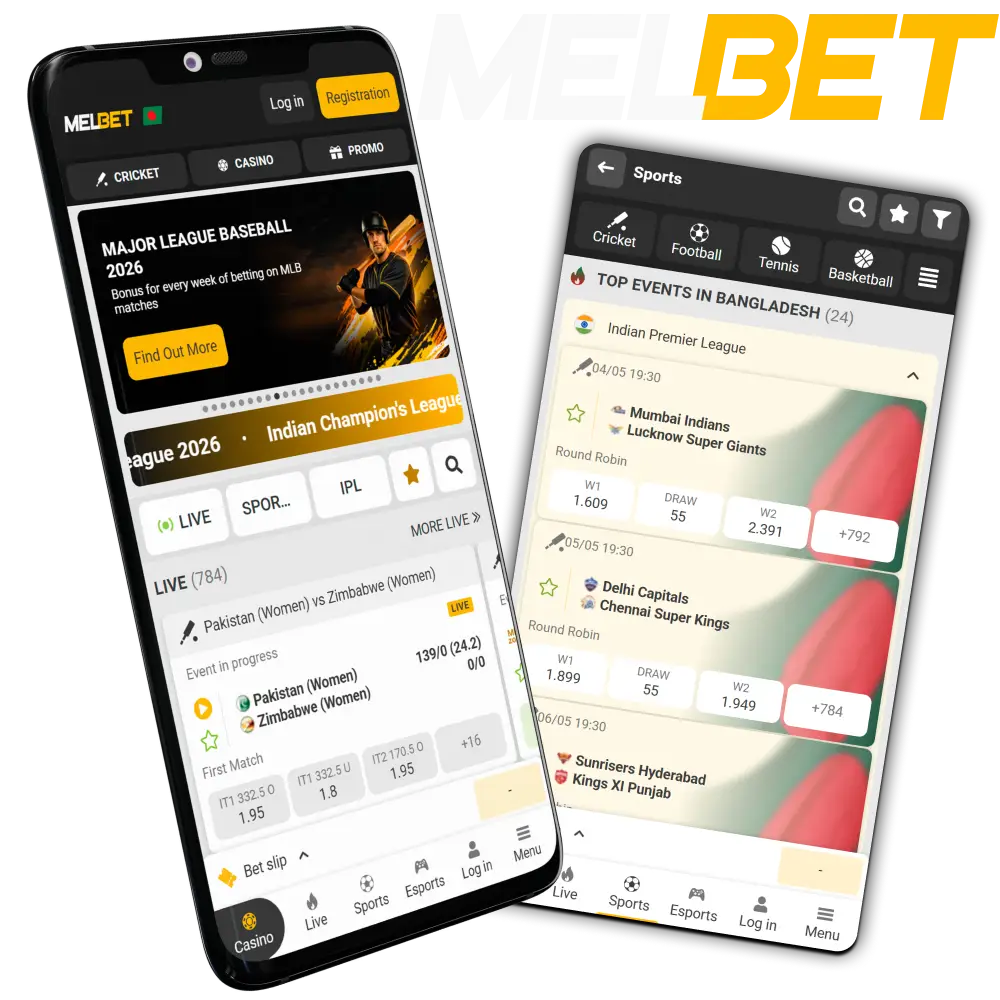
Melbet App for Android
The Melbet Android app is highly optimized and runs smoothly on any smartphone. It offers a full range of gambling options, and we regularly update it and add new features. Below are the key details about the app.
How to Download and Install for Android (APK)?
Installing the mobile app on Android is very easy. Here are the instructions for downloading the Melbet APK file to help you:
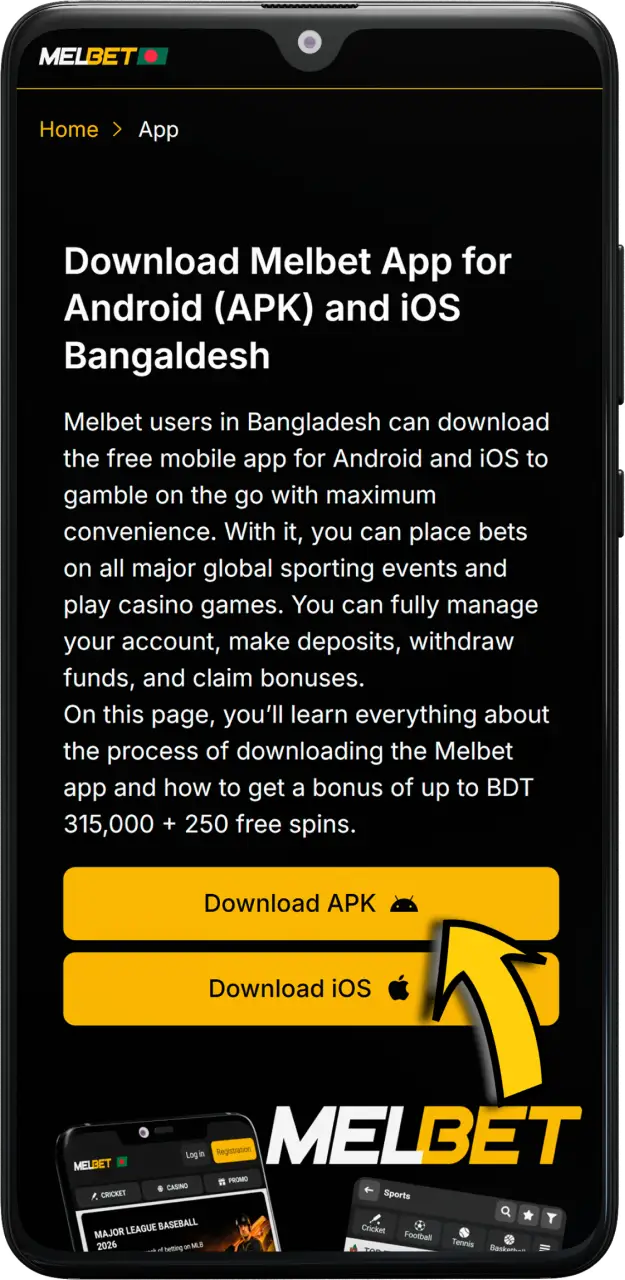
Download the APK File
Tap the button with the Android logo at the bottom of the mobile site’s home page. Wait for the Melbet APK file to finish downloading to your device.
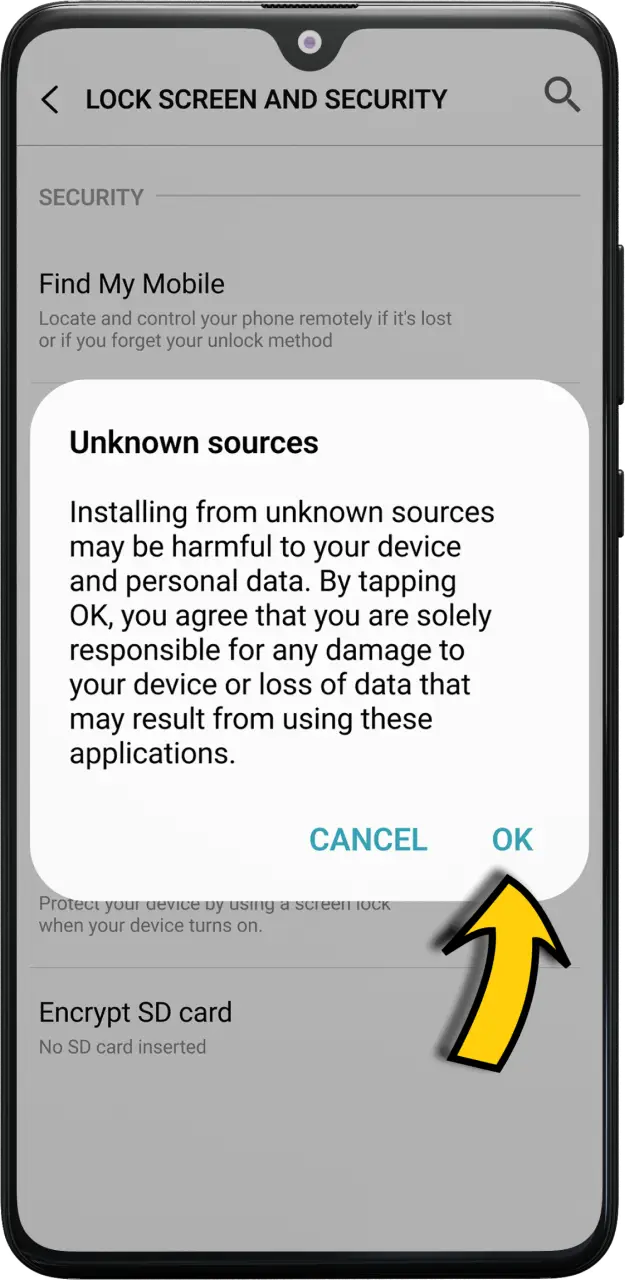
Change Your Security Settings
Allow the installation of apps downloaded from the internet.
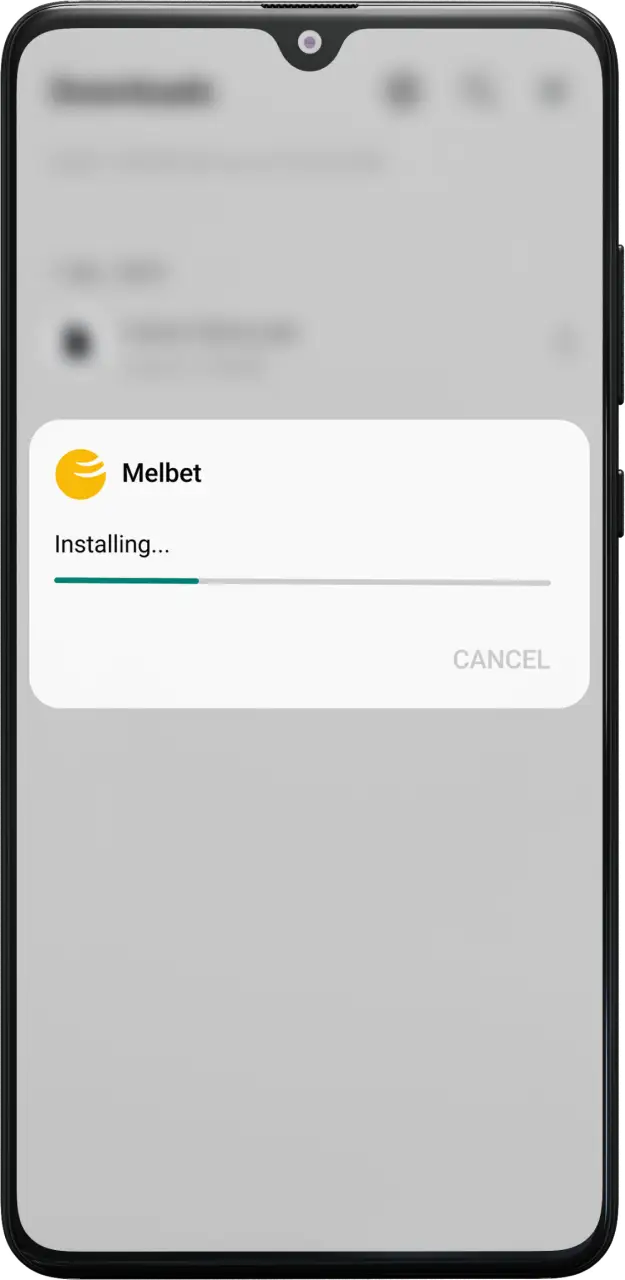
Install the App
Tap the Melbet APK file and install the app on your smartphone. After that, the app will appear in your device’s home screen. You can open it, log in to your account, and start playing.
System Requirements
The Melbet app does not have any strict system requirements, so it will run perfectly on most modern devices. The table below shows the basic requirements for a comfortable game.
| Android Available Versions | Android 12.0 or higher |
| Memory Space for Installation | 101,4 MB |
| Melbet APK file Size | 81,5 MB |
| RAM | 1 GB+ |
| Processor | 1,4 GHz |
Supported Devices
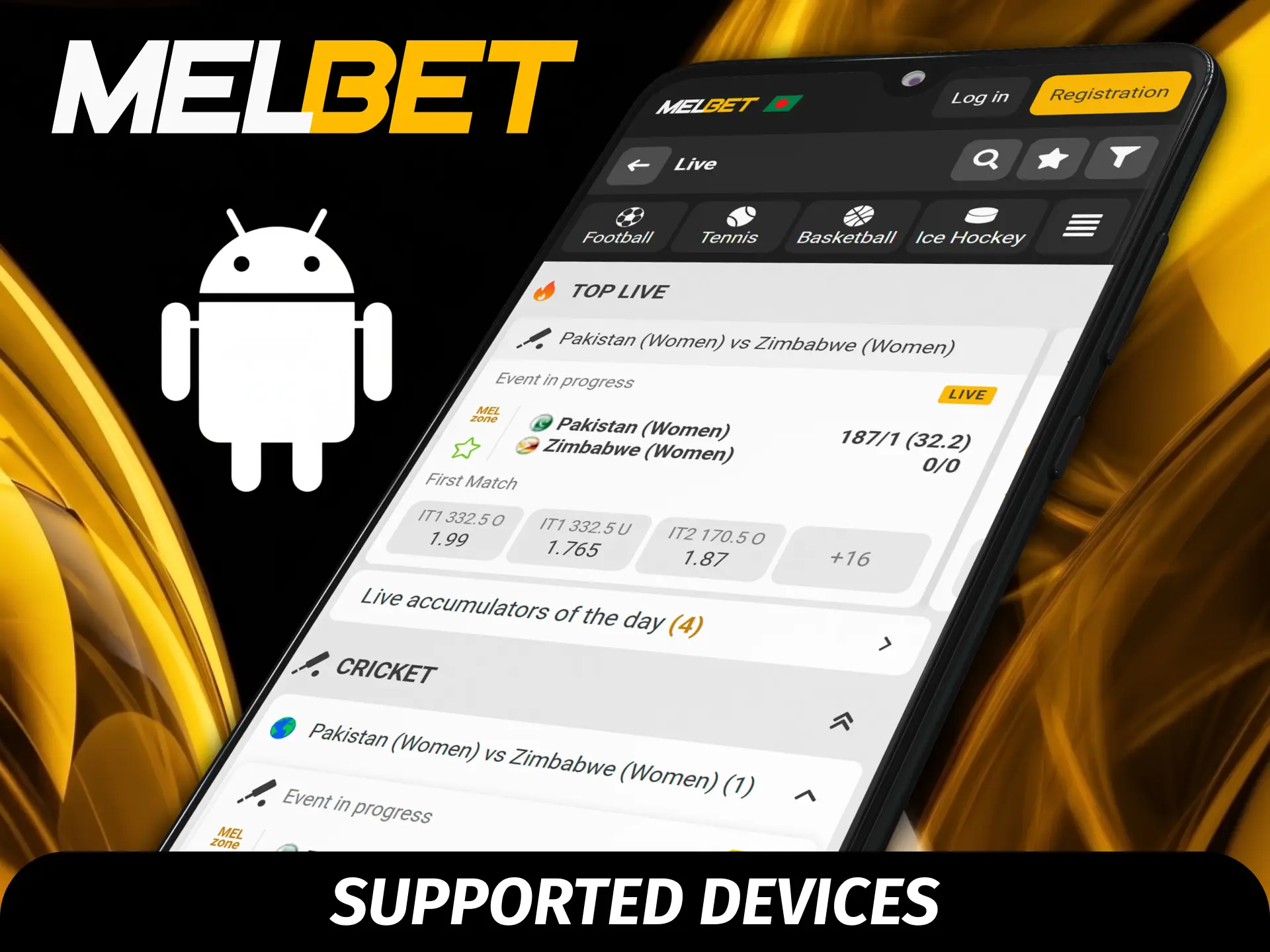
To help you check your device’s compatibility in advance, we’ve compiled a list of devices on which the Melbet app runs without lags:
- Xiaomi Redmi Note 13;
- Xiaomi POCO X6;
- Samsung Galaxy A54 / A55;
- Samsung Galaxy S23 / S24;
- Realme 11 / 12;
- OPPO A78 / A98;
- OnePlus Nord CE 3;
- Vivo Y36 / Y100.
How to Update
When a new version is released, you can easily download the update to your smartphone. You’ll receive a notification on your device, after which you’ll need to:
- Open the app by tapping the push notification you receive from Melbet.
- Agree to download and install the app update files.
- Wait for the updated app to finish downloading.
The next time you launch the app, you’ll be taken to the new version, which will work even better.
Key Features
The Melbet app is extremely popular among users thanks to its wide range of features:
- Speed. The app is highly optimized and runs smoothly;
- Navigation. The app has a user-friendly interface for easy navigation between sections;
- Sports betting. The app allows you to place bets in both pre-match and live mods;
- Live streams. A standout feature is the ability to watch matches in real time for free;
- Casino. Through the app, you can play thousands of different casino games at any time;
- Account management. The app allows you to fully control your account and balance;
- Speed. The app is designed to maximize loading speed. All graphics are pre-installed on the smartphone;
- Security. User security is Melbet’s top priority. All data is stored on servers with SSL encryption.
Melbet App for iOS
The Melbet iOS app is a PWA that brings together all the features of the mobile website and presents them in a user-friendly, optimized interface. It also runs quickly and offers a full range of features, allowing you to place bets, play casino games, and manage your balance.
How to Download and Install Melbet App for iOS?
The process of installing the Melbet PWA is also very simple and won’t take much of your time. Here are the step-by-step instructions:
Open Mobile Site
Open the Melbet mobile site in Safari.
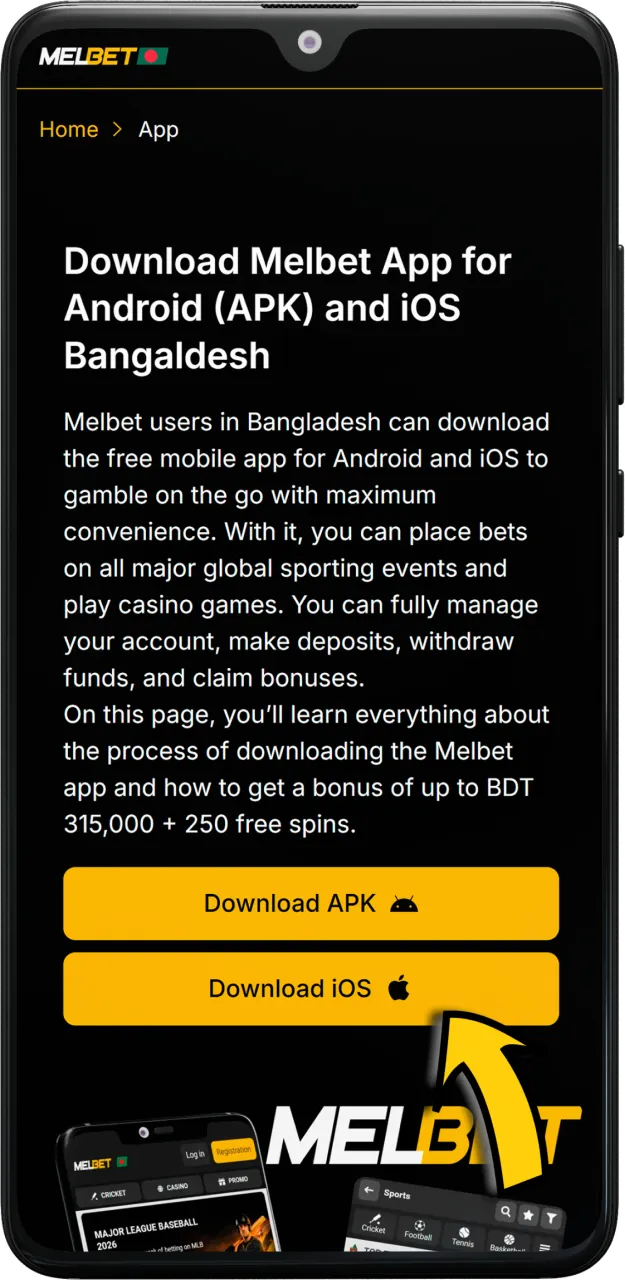
Apps Section
At the bottom of the home page, you’ll find a button that leads to the mobile apps page.
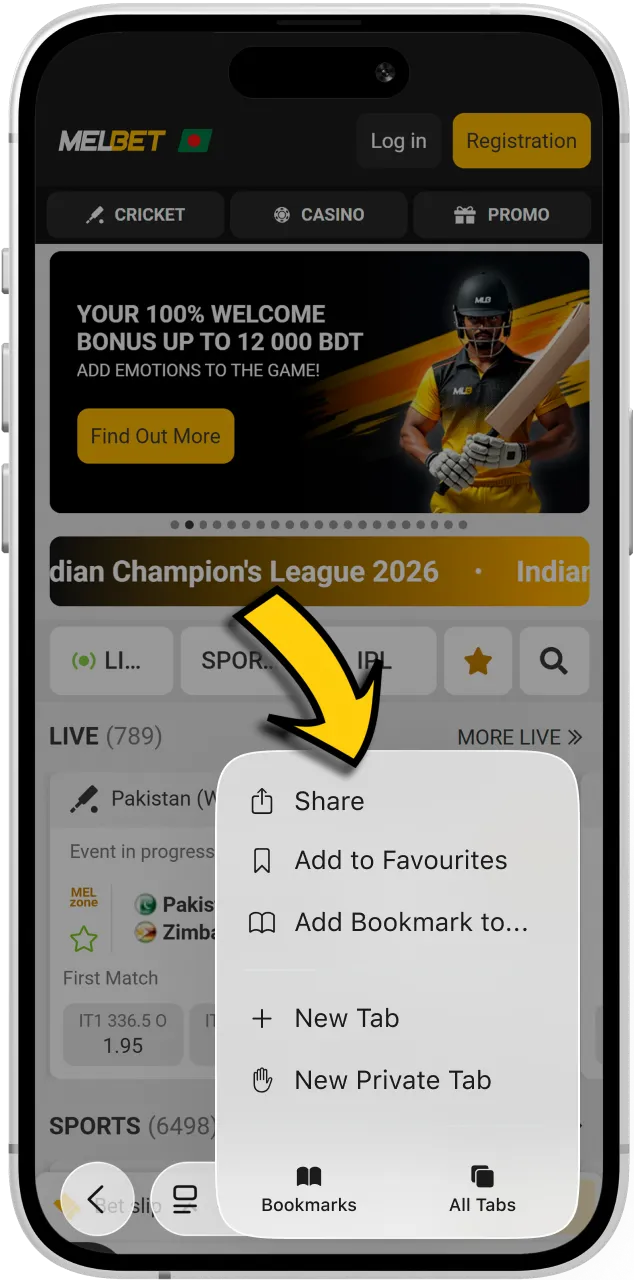
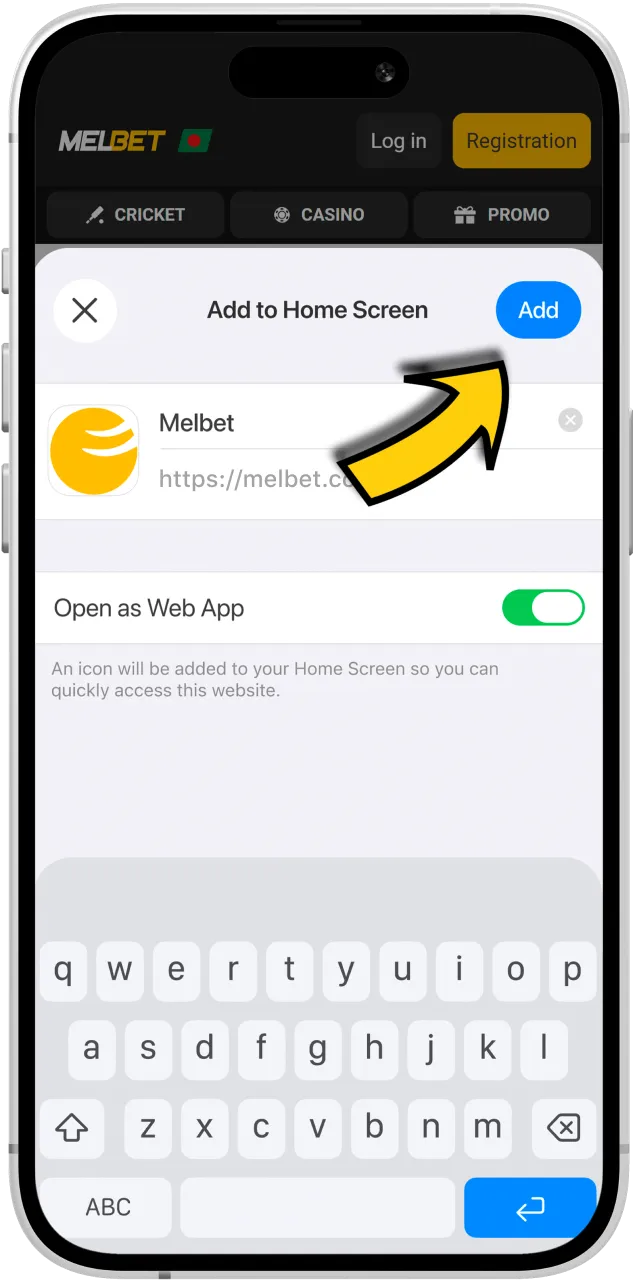
Add to Home Screen
Tap the Share button and select Add to Home Screen.
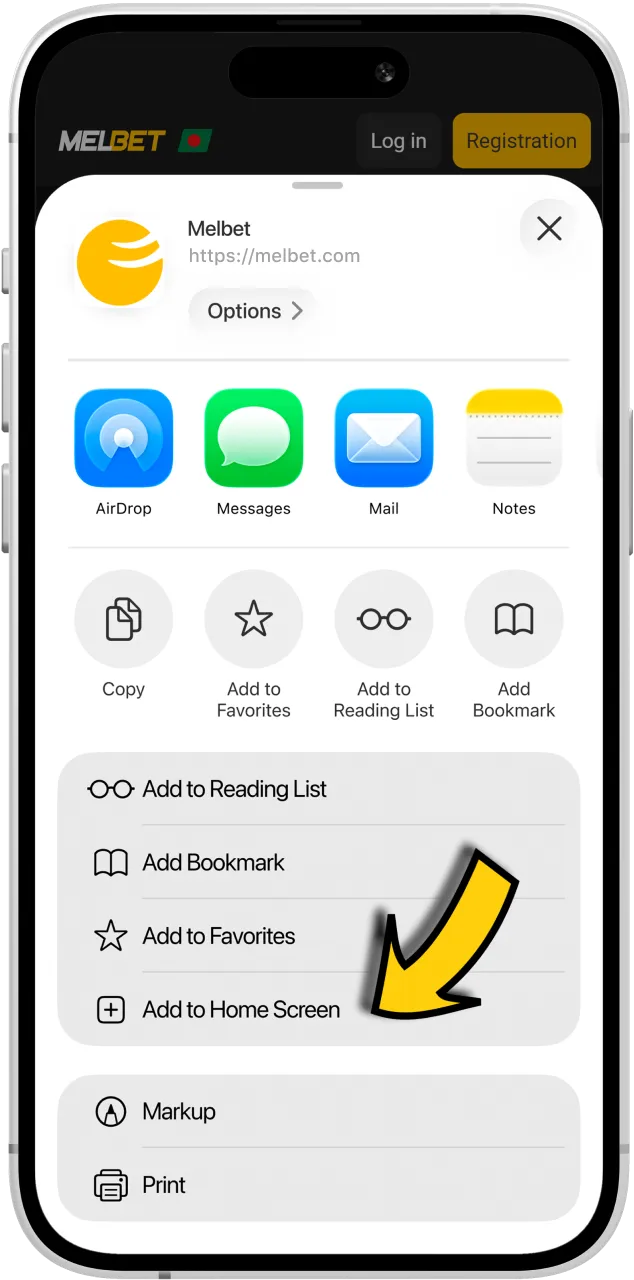
Confirm & Name
Tap the Add button in the top-right corner to confirm. Enter a name if you wish. After that, the Melbet icon will appear in your smartphone’s menu. You can open the app, log in to your account, and start betting or playing casino games.
System Requirements
If you were able to open the mobile site via your smartphone’s browser, you will be able to use the PWA as well. The table shows the basic system requirements:
| Operating System Version | iOS 12.0 or newer |
| Free Memory Space | 30 MB |
| RAM | 1 GB + |
| Processor | 1,4 GHz |
Supported Devices
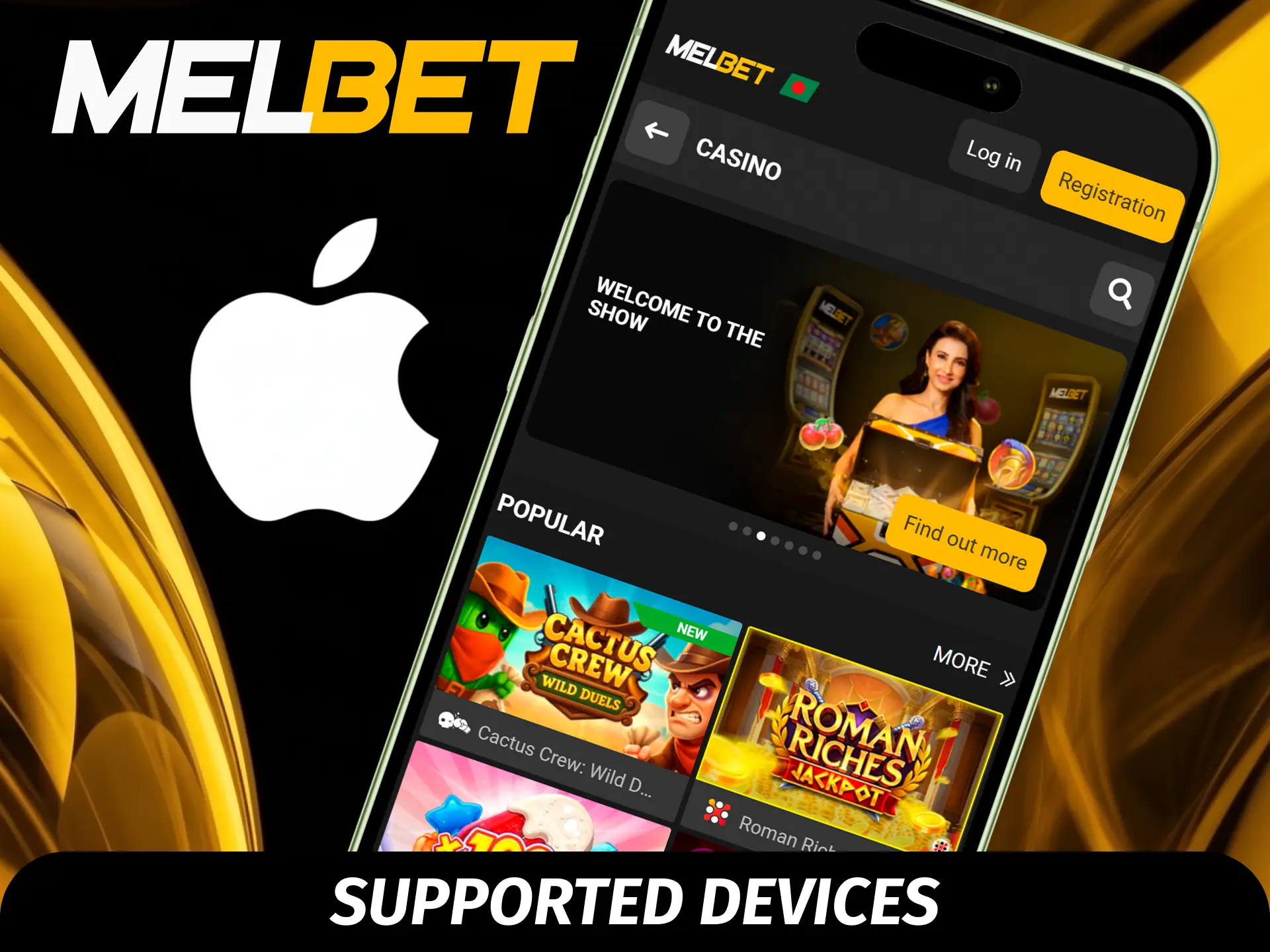
The Melbet app works fine on any iOS device with operating system version 12.0 or newer. Here is the list of gadgets that support this operating system:
- iPhone 6s;
- Phone 13;
- iPhone 12;
- iPad Pro;
- iPhone SE;
- iPad Air;
- iPhone 11 Pro;
- iPhone 14 and 14 Pro;
- iPhone 17 and others.
How to Update
A PWA is directly linked to the website. As a result, the mobile site always features the latest set of options. This means users don’t need to manually update it. When you open the PWA, you’re automatically taken to the latest version.
Key Features
PWAs offer a host of benefits that make them great. Here are the main ones:
- Optimization. The mobile interface runs quickly, with some data preloaded;
- Latest features. PWAs are linked to the website, so all updates are available immediately after release;
- Gambling options. PWAs retain the full range of options for sports betting and casino games;
- Notifications. Through the PWA, you can receive notifications about new bonuses, exciting matches, or new casino games.
Melbet App Characteristics
The Melbet app works perfectly on modern Android and iOS devices. It offers full betting functionality for all popular sports and sporting events, and allows users to watch live streams for free. It also features thousands of casino games to suit every taste. Here are the key details:
| Download Price | Free |
| Age Restriction | 18+ |
| File Size | 81,5 MB |
| Supported Operating Systems | Android 12.0 or higher and iOS 13.0 or higher |
| Available Languages | Bengali, English |
| Sports Betting Options | Pre-match and Live Sports and eSports betting, Results, Live Score, Accumulator Bets, etc. |
| Casino Games | Slots, Live Games, Instant Games, Crash Games, TV Games, Bingo, Poker, Arcades, etc. |
| Payment Methods | bKash, Nagad, Rocket, Skrill, Neteller, Crypto, MiFinity, and others |
| Welcome Bonus for New Users | 100% up to BDT 12,000 / 450% up to BDT 315,000 + 250 Free Spins |
| Notifications | Yes |
| Automatic Updates | Yes |
Melbet App Interface
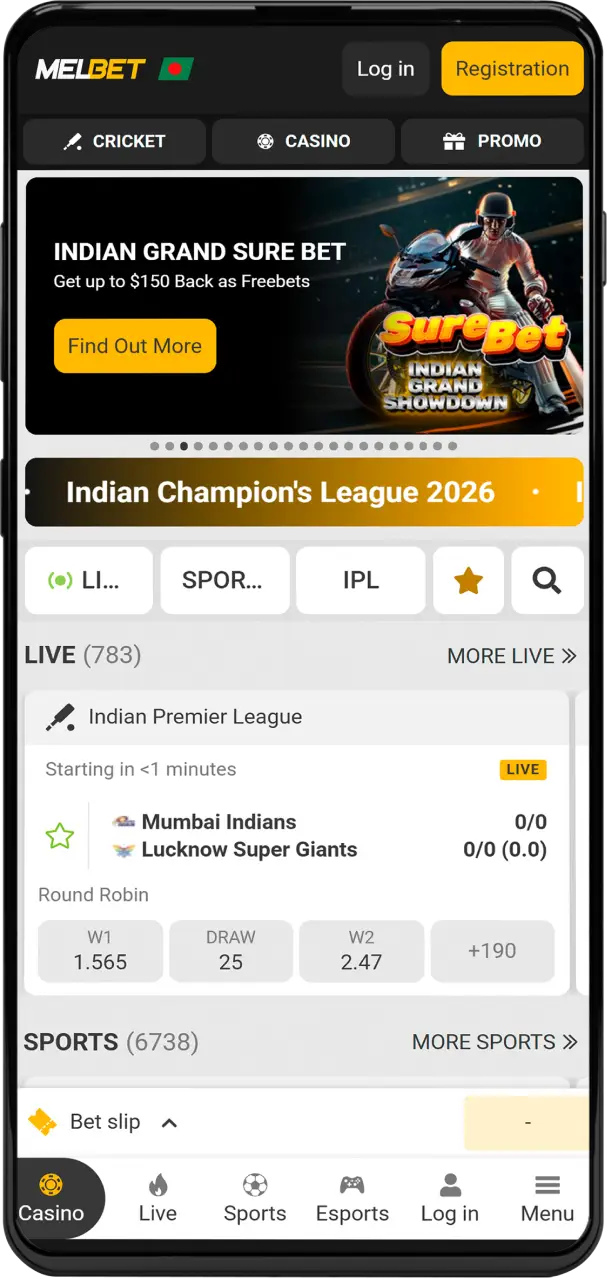
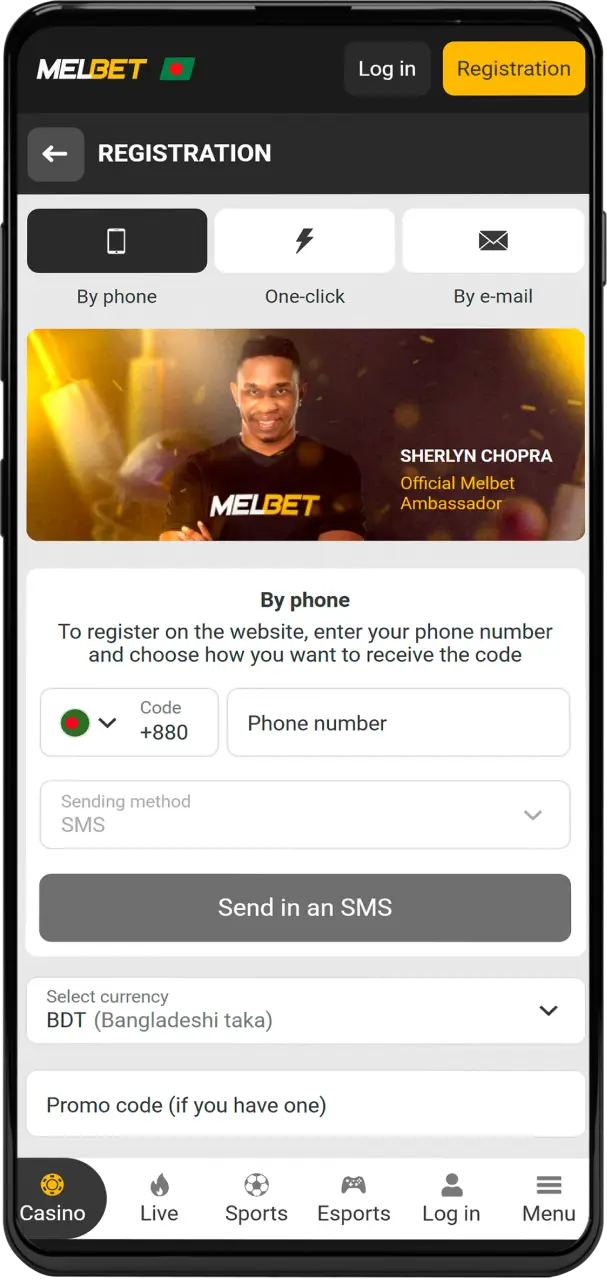
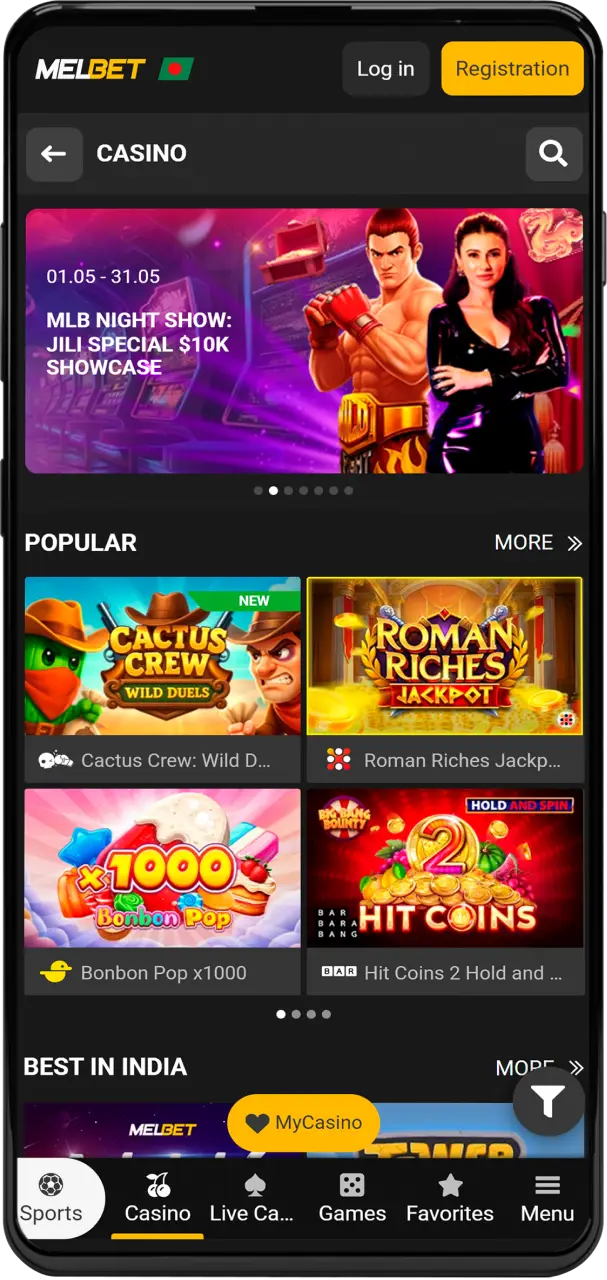
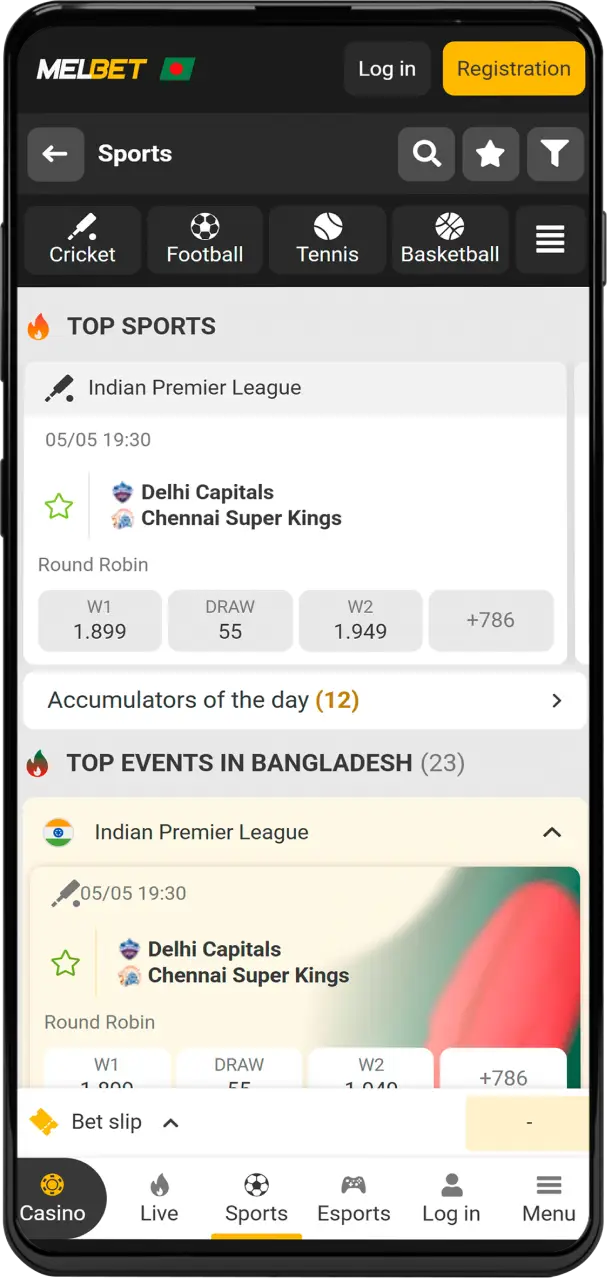
The app is designed for the most convenient navigation between sections. The menu features several main pages, such as Sports, Live, Games, Results, My Account, and others. The interface is intuitive, allowing you to easily manage payments, place bets, and play games. The color scheme features the brand’s classic colors, including orange, black, and white.
How to Install
After downloading the Melbet APK file, you need to install it on your smartphone. Here’s a quick guide on how to do it:
- Open your smartphone’s settings and allow the installation of apps downloaded from the internet.
- Go to the download manager on your smartphone.
- Tap the downloaded Melbet APK file and start the installation process.
The full installation will take a few seconds. After that, an icon with the Melbet logo will appear in your smartphone’s home screen. You can open the app, log in to your account, and start gambling.
How to Start to Play at the Melbet Application?
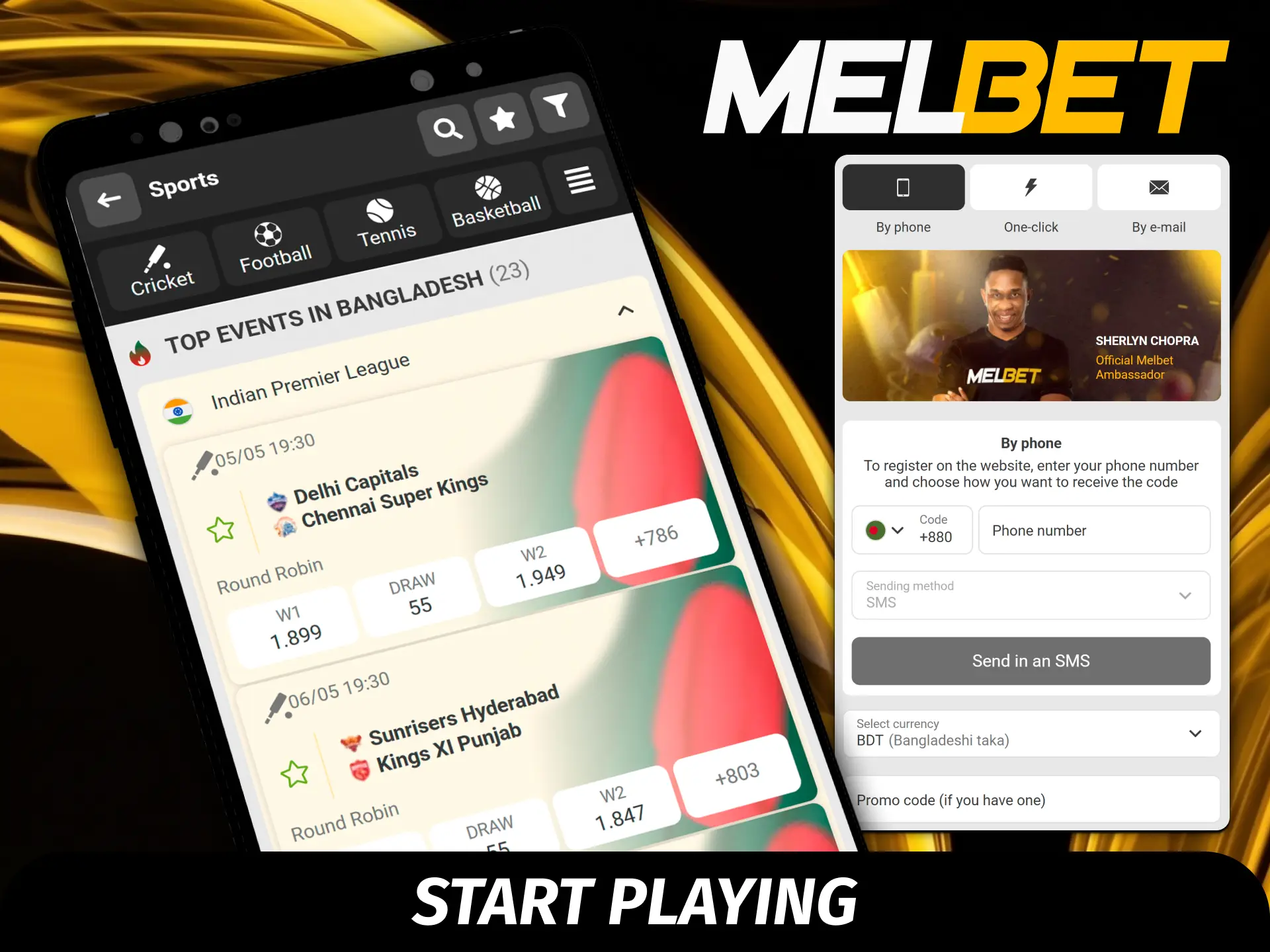
Getting started with gambling on the Melbet app is very simple, and even beginners will be able to get the hang of it quickly. Here’s a quick guide to help you:
- Sign up. Click the registration button on Melbet, fill out the form, and create your personal account.
- Deposit. Click the deposit button. Select a payment method, enter the amount, and top up your account balance.
- Start playing. Now you can choose any section with sports betting or casino games and start gambling.
All winnings will be credited to your Melbet account balance, and you can easily withdraw them through the app.
Whats New
Every update to the Melbet app brings performance improvements, enhanced stability, and new features. Below are the main changes compared to the previous version:
- Loading speed. Optimized for quick access to games and the lobby, even on budget devices;
- Performance. Fast gameplay with minimal lag and no delays during live games;
- Stability. Improved protection against crashes and unexpected app closures;
- Push notifications. Full delivery of notifications about bonuses, promotions, and transactions;
- Navigation. Updated interface with faster navigation between sections;
- File size. Takes up less space on your device;
- Payments. Faster deposits and withdrawals without unnecessary confirmation steps;
- Bonus tracking. Conveniently check the status of bonuses and the VIP program;
- Security. Updated encryption and enhanced protection.
Registration via Melbet App
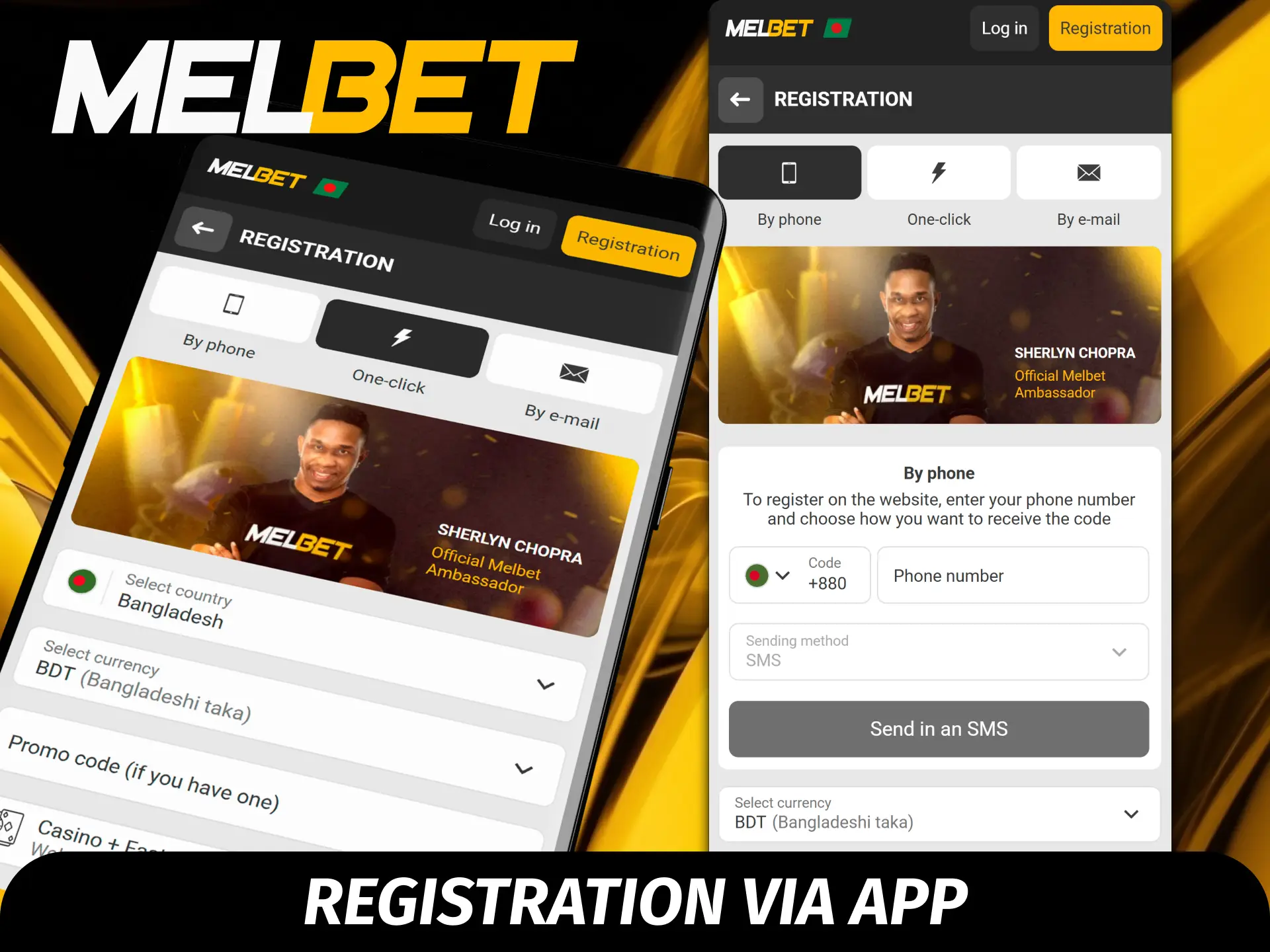
The process of creating an account in the Melbet app is very simple and won’t take more than 5 minutes. Any user from Bangladesh who is at least 18 years old can do this. Here’s a quick guide:
- Open the app and tap the registration button on the home screen.
- Select a registration method and fill out the form. Select your currency and country.
- Complete the registration.
Your account has now been successfully created. You can make a deposit right away and start gambling.
Login via App
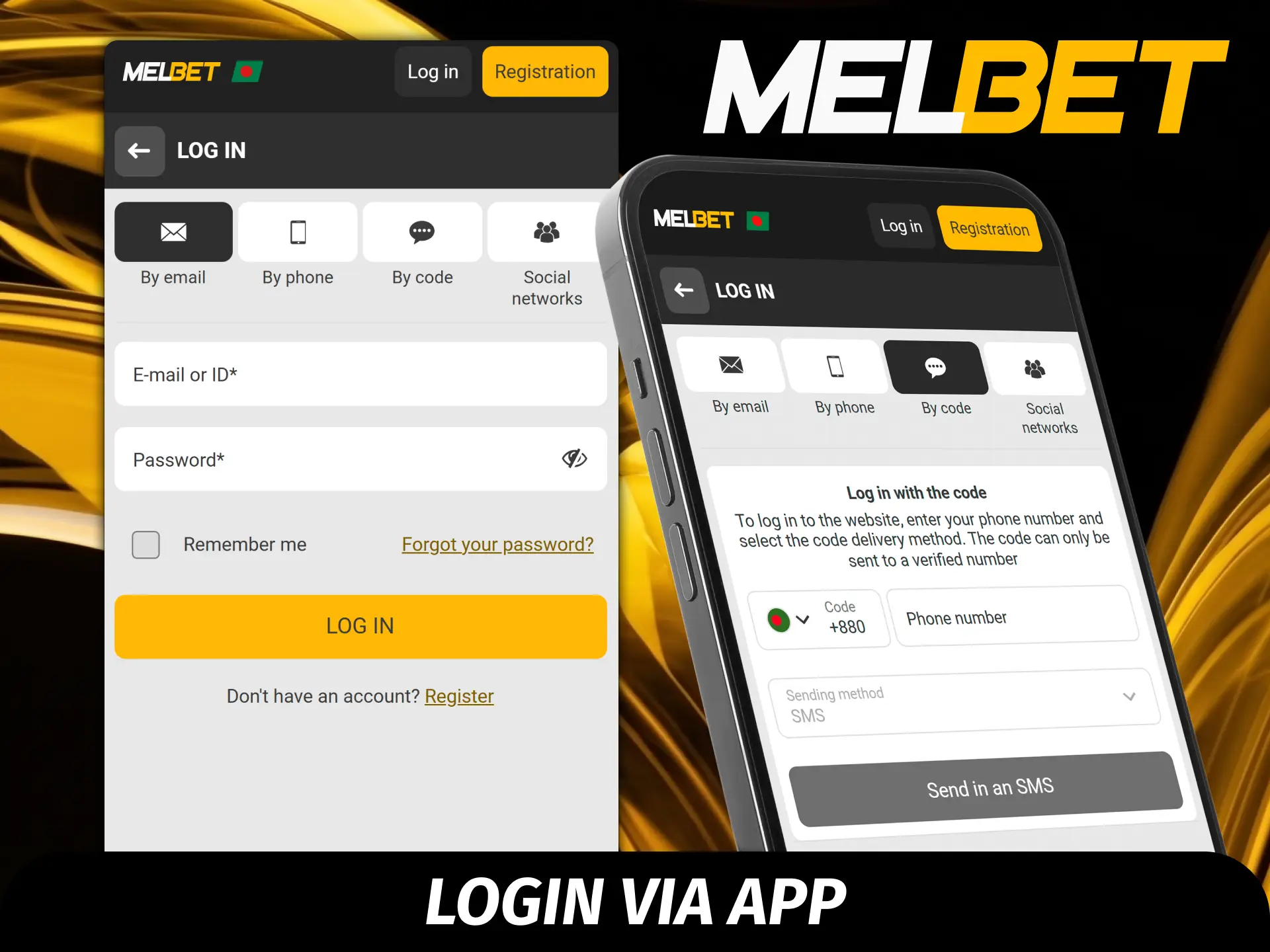
Once you’ve created an account, you can log in at any time via the Melbet app. To do so, follow these steps:
- Open the app by tapping the icon on your home screen.
- Tap “Log In” on the home screen.
- Enter your account details (email address/username/phone number and password).
- Tap the confirmation button.
The app will remember your details, and the next time you launch Melbet, you’ll be logged into your account immediately.
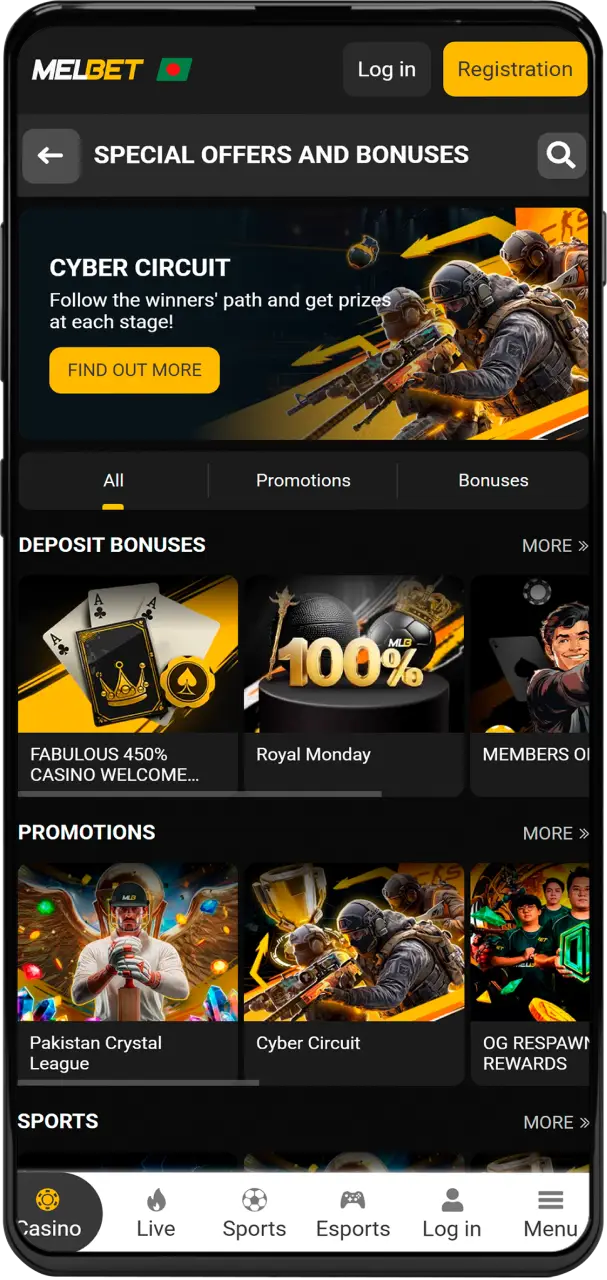
Melbet App Bonuses
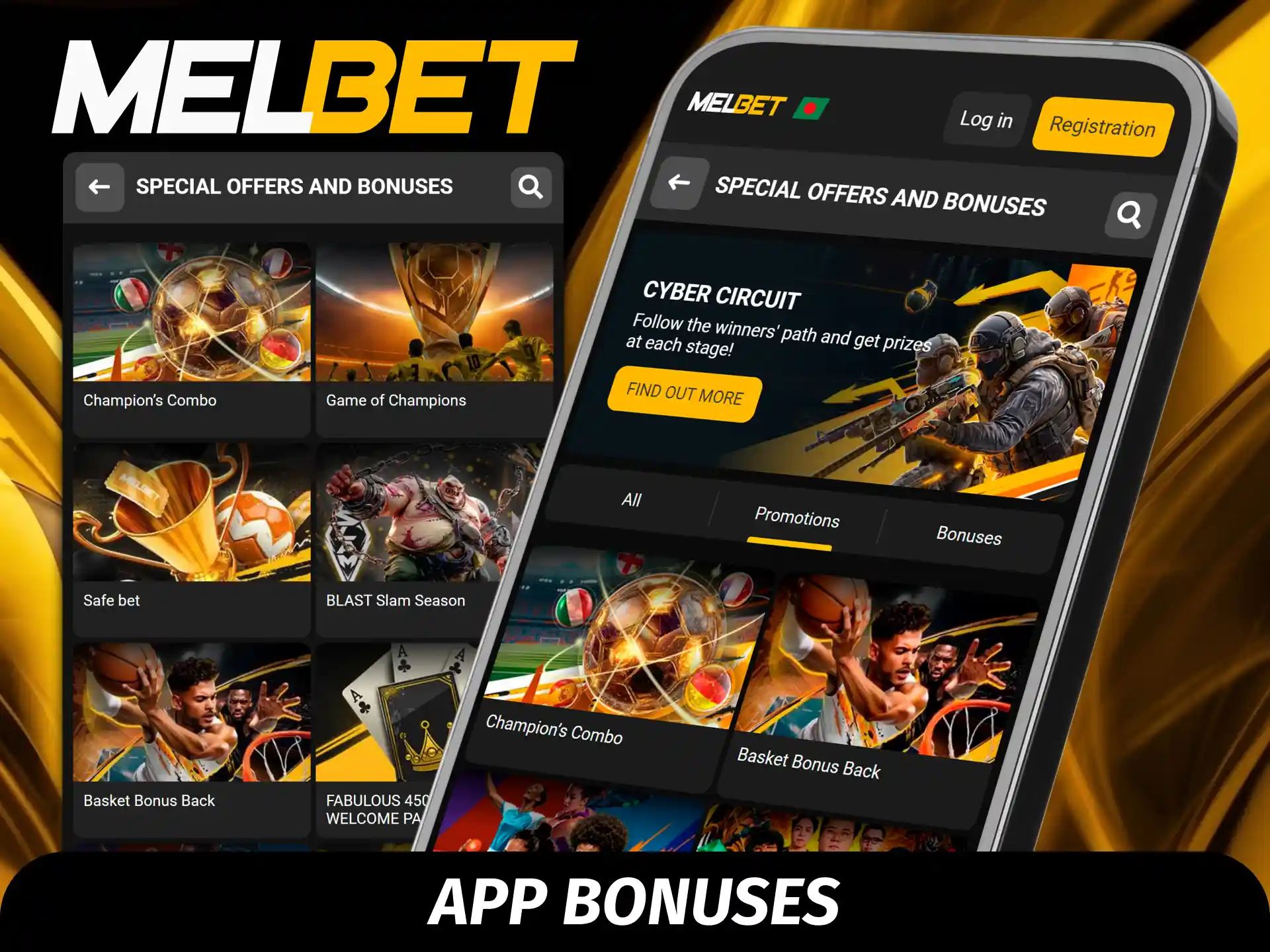
To enhance the gambling experience for Melbet app users, we’ve added a variety of bonuses and promotions for both new and active players. The list includes:
- Sports Welcome Bonus. New users can receive a 100% bonus up to BDT 12,000 and use these funds to bet on sports and esports matches;
- Casino Welcome Package. 450% up to BDT 315,000 + 250 Free Spins for casino games with a 40x wagering requirement;
- Royal Monday. 100% up to BDT 12,900 for sports betting on Mondays;
- Casino VIP Cashback. Cashback up to 11% on casino games;
- Promo Code Store. Earn points for your activity and exchange them for promo codes to receive rewards;
- Happy Birthday Bonus. Receive a birthday gift in the form of free bets, free spins, or extra cash.
In total, Melbet offers over 30 different promotions, and the bookmaker regularly adds new ones.
Sports Betting
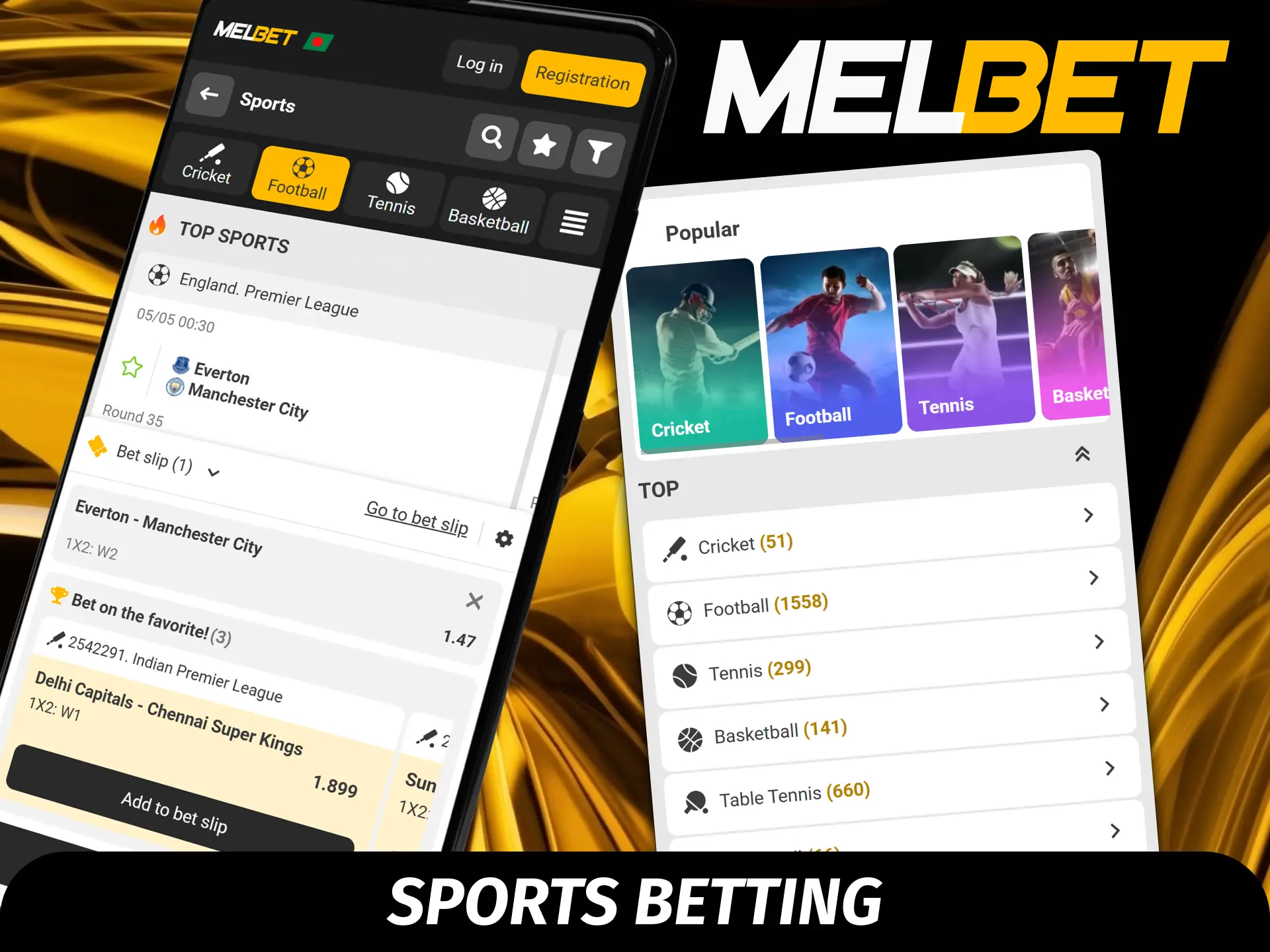
The Melbet app offers a full range of betting options for sports and esports matches. You can select any tournament and then choose from a variety of betting markets. Each sport has its own page for easy navigation. The list of sports includes:
- Cricket;
- Football;
- Tennis;
- Kabaddi;
- Basketball;
- MMA;
- Volleyball;
- Tennis;
- Badminton;
- Dota 2;
- CS 2, and others.
It’s important to note that with the Melbet app, you can also watch live matches for free. Detailed statistics with the latest team results are also available to you. The selection of markets is very large, and you can combine them for express bets.
App Casino Games
Currently, the Melbet app offers over 12,000 different games from licensed providers such as Pragmatic Play, BGaming, Hacksaw, No Limit City, and others. All games are conveniently organized into categories, and a search bar has been added so you can quickly find the game you’re looking for. Here are the game categories available here:
- Slots;
- Roulette;
- Blackjack;
- Baccarat;
- TV Games;
- Crash Games;
- Jackpots;
- Dice;
- Dragon Tiger;
- Arcades, and others.
All games are optimized for mobile devices and run without delays. In slots, you simply tap the large spin button, and in live games, you place bets using convenient virtual controls.

Melbet Mobile Version of the Website
The MelBet mobile site provides full access to the platform without the need to download an app. The smartphone version works via Chrome, Safari, or any other mobile browser. There’s no need to download any files, so it doesn’t take up space on your device. Through the mobile site, you can place sports bets, access casino sections, deposit and withdraw funds via bKash, Nagad, and Rocket, and view account information. The interface is optimized for small screens and touch controls.
Differences Between App and the Official Website
The Melbet app and mobile site have similar functionality. All the main options for sports betting and casino games will be at your fingertips. However, most gamblers prefer to use the app because of a number of advantages. Here are the main differences:
| Melbet Betting App | Melbet Mobile Site |
| Has minimal system requirements for installation | No system requirements |
| You need to free up memory space and install the app | Accessible from any browser |
| Quick login | Sign in to your account only through the mobile site you open in your browser |
| All pages load as quickly as possible, since images are preloaded into the app | Every single element of the site takes time to load |
| LIVE streams work without delays, and odds change instantly | There are slight delays in the operation of broadcasts. You need to refresh the page to update the odds |
| You receive notifications from Melbet (new promotions/interesting matches/new casino releases) | No notifications |
Deposit and Withdrawal Methods in the Melbet App
The Melbet app offers a wide range of payment methods for users in Bangladesh. During registration, you can select BDT as your account’s primary currency and then use it for deposits and withdrawals. Here are the main options:
| Withdrawal Method | Minimum Deposit, INR | Maximum Deposit, INR | Withdrawal time (Average) | Fee |
| Nagad | 300 | 20,000 | 15 minutes | None |
| Bkash | 300 | 20,000 | 15 minutes | None |
| Rocket | 300 | 20,000 | 15 minutes | None |
| Neteller | 750 | – | 15 minutes | None |
| WebMoney | 65 | 1,300,000 | 15 minutes | None |
| MiFinity | 1,500 | 370,000 | 15 minutes | None |
| Skrill | 750 | 7,500,000 | 15 minutes | None |
| Crypto | 300 | No Limit | 15 minutes | None |
Melbet App Customer Support
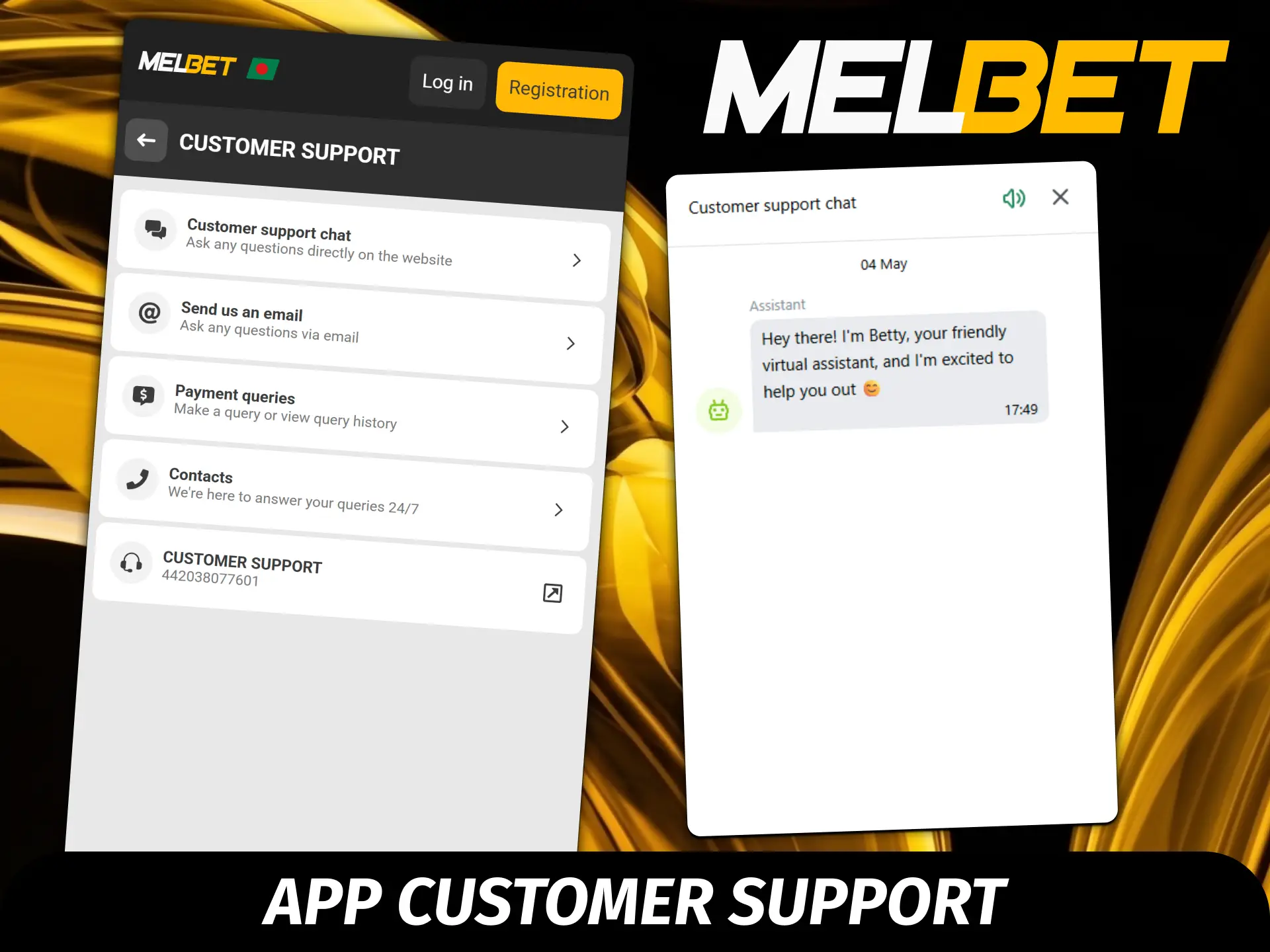
If you have any questions about the Melbet app’s features or are experiencing issues with your account, you can contact customer support. They are available 24/7 and will promptly answer any questions you may have. Here are the ways you can contact customer support:
- Live chat – available in the app 24/7;
- Email – [email protected];
- Phone number – 442038077601.
FAQ
Is it safe to place bets on the Melbet app?
Yes, Melbet uses all the latest data protection methods and stores data on servers with SSL encryption to ensure maximum security.
What gambling options are available on the Melbet app?
Melbet offers a full range of options for betting on sports matches, as well as thousands of casino games to suit every taste. It is a licensed online bookmaker and casino.
How can I make a deposit?
Log in to your Melbet account and click the deposit button. Select the payment method you want to use, enter the amount, and confirm the payment.
Can I watch live streams of matches in the Melbet app?
Yes, users can place live bets and watch live streams of matches in high quality.
Are bets on virtual sports and esports available?
Yes, Melbet users can place bets on both virtual sports and esports matches. Live streams are also available.
Updated: